
Vortyx by Synve Technologies
Use Vortyx on web and mobile.
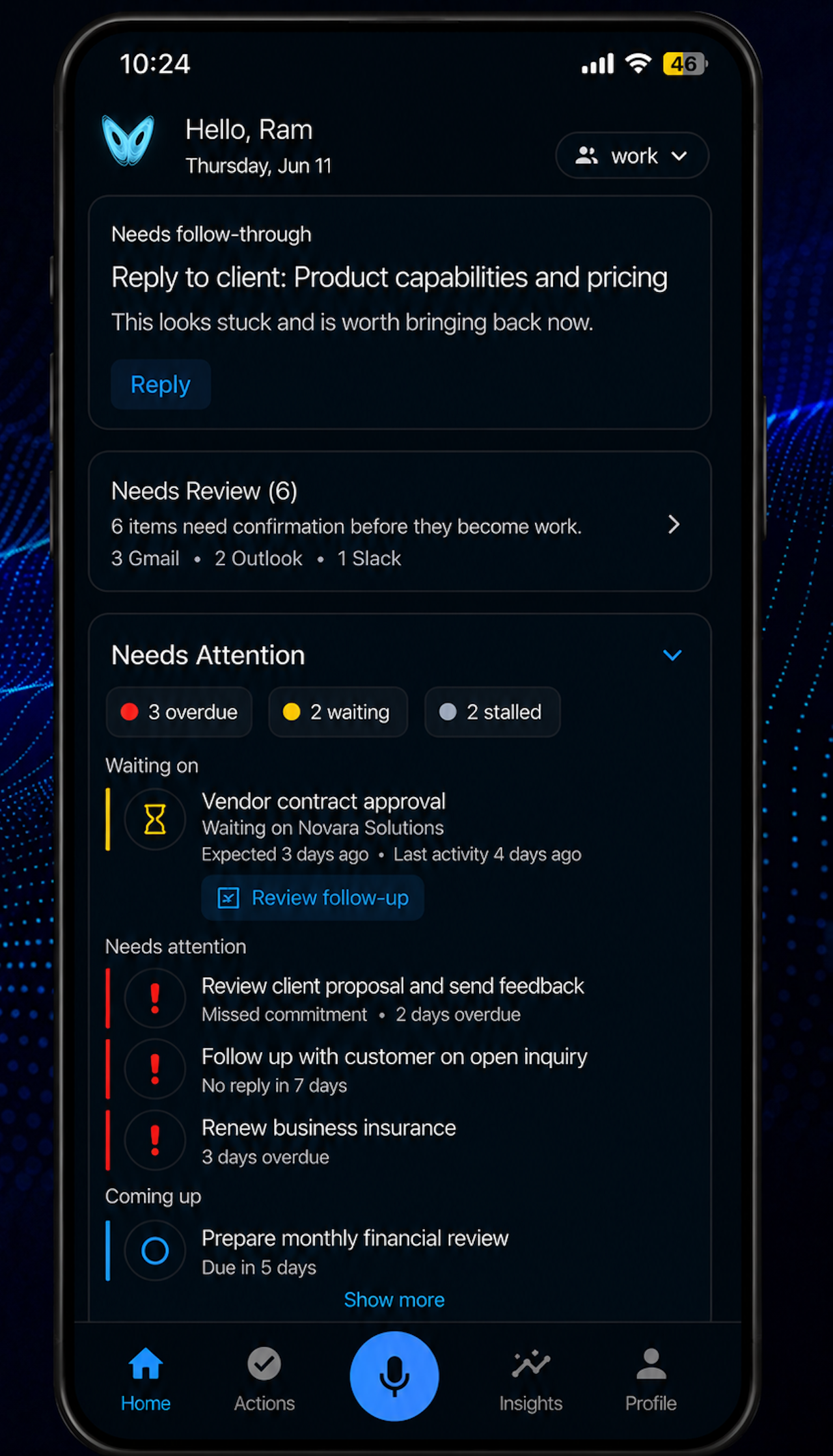
Start on the web or mobile. Your follow-ups, waiting items, commitments, recurring responsibilities, and captured actions stay available across devices.


Start free with Google or Apple. You can activate a trial to explore all capabilities with trial quotas. Use the same follow-through workspace across web and mobile.
Need help? Visit support.
Vortyx by Synve Technologies
An AI continuity assistant for keeping unfinished work visible until it is resolved.
Available on web, iPhone, and Android
Start in your browser, or install Vortyx from the Apple App Store or Google Play Store.
Free plan available
Start with manual capture and review-first follow-through before choosing a paid plan.
Supported workflows
Explore the full workflow library on the Vortyx workflows page.
Privacy and control
- Opt-in connected accounts
- Reviewable suggestions
- Editable drafts before sending
- No automatic email sending
- Disconnect and account-deletion paths
Review the Vortyx security page for more detail.
Access FAQ
Before you start
Can I start on the web?
Yes. Start free with Google or Apple from the web app, then use the same Vortyx workspace across web and mobile.
What can I use Vortyx for?
Vortyx helps keep follow-ups, commitments, waiting items, recurring responsibilities, and next steps visible until they are handled.
Can I use Vortyx without connecting email?
Yes. You can use voice and text capture, manual plans, actions, and recurring responsibilities without connecting an email account.
Does Vortyx send emails automatically?
No. Suggestions and drafts are reviewable, and external actions require user approval.